You can power your arcade safely by using a jamma harness. The jamma harness follows the jamma standard. This design works for many setups. It helps you avoid wiring mistakes. Many arcade owners worry about electrical safety. They want to wire the harness the right way. People often worry about mixing up high and low voltage. They also think about using fuses and safety switches. Testing with a multimeter is important too. The table below shows these main safety points:
Safety Concern | Description |
Separation of mains and low voltage | Makes sure no mains voltage wires go to the jamma harness. This lowers the chance of getting hurt. |
Use of fuses and safety switches | Helps stop electrical dangers when you use the arcade. |
Testing with a multimeter | Checks that all wires are safe and working right. |
You can trust the jamma standard. It makes your setup easier and safer.
Key Takeaways
JAMMA Harness Basics
What Is JAMMA
JAMMA means Japan Amusement Machine and Marketing Association. This group made a rule for arcade wiring in 1984. The JAMMA rule helps you connect different game boards to one cabinet. You do not have to change all the wires to play new games. The table below shows how JAMMA became popular in arcades:
Year | Event Description |
1984 | The JAMMA rule started by the Japan Amusement Machine and Marketing Association. |
1987 | All arcade boards in Japan used the 56-pin JAMMA rule. Swapping games got easier. |
Late 1980s | JAMMA became the main rule everywhere. U.S. and Europe followed it. |
1990s | Using the same rule saved money and made arcades work better. |
2000s | The 56-pin JAMMA rule still worked for old and new systems. |
JAMMA Harness Features
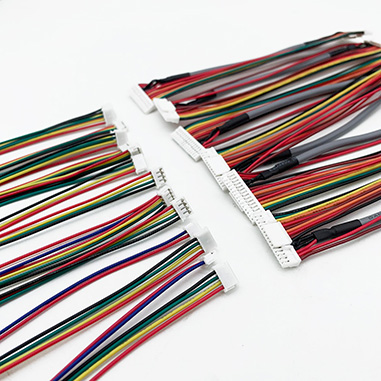
A JAMMA harness is a bunch of wires with a 56-pin connector. You use it to connect power, controls, and video to the game board. The harness keeps wires neat and safe. The wires have colors to help you not mix them up. Many harnesses are ready to use, so you do not need to solder. Some harnesses have extra plugs for speakers or coin doors. You can get harnesses for old and new arcade cabinets.
Tip: Always look to see if your harness has all the wires you need before you begin.
Compatibility and Use Cases
JAMMA works with lots of arcade systems. You can put the harness on a new JAMMA board easily. Most game boards after JAMMA fit any JAMMA cabinet. This helps you fix or upgrade your arcade fast. Some games need a kick harness for more buttons. Not every part fits right away. You might have problems if you use a PC or Raspberry Pi instead of a JAMMA board. Button and joystick plugs can be different sizes. Sometimes, new LCD screens do not show old games well. You should check power at the game board. Some boards need small changes in voltage. Always make sure your harness fits your system.
JAMMA is a rule that lets you swap parts from different makers.
You can use a JAMMA harness to link many arcade boards.
Some systems need extra wires for special things.
Preparing for Installation
Workspace and Safety
You need a clean and bright workspace before you start working with the jamma harness. Choose a table with enough room for your tools and parts. Good lighting helps you see wire colors and small connectors. Wear safety glasses to protect your eyes from flying bits of wire. You should also use gloves if you handle sharp tools or cut wires. Keep drinks and food away from your work area. This keeps your jamma harness safe from spills.
Tip: Unplug your arcade cabinet from the wall before you begin. This stops electric shocks and keeps you safe.
Check your harness for any damage before you use it. Look for broken wires or loose pins. A good jamma harness follows the standard and has all the right connectors. Using a quality harness helps you avoid problems later.
Tools and Materials
You need the right tools to install your jamma harness. Using the wrong tools can damage wires or connectors. Here is a table of tools and materials you should have ready:
Tool/Material | Purpose |
Screwdriver | To connect power supply pins |
Color-coded wires | For video and player control connections |
Terminals | To add new wires for additional buttons |
JAMMA harness | Main component for connecting arcade controls |
Power supply | Provides necessary voltages for operation |
If you use a cheap jamma harness, you may face these problems:
Broken connections at the edge connector can waste your time.
Missing -5v power connector can cause more trouble.
Wires that are too thin can break easily and make work harder.
Note: Always check if your jamma harness comes pre-wired. This can save you time and reduce mistakes.
A good setup starts with the right tools and a safe workspace. You will have a better arcade experience if you follow these steps.
Power Connection Steps
Identifying Harness Components
You need to know each part of your jamma harness before you start. The harness has a 56-pin edge connector. This connector plugs into the game board. You will see wires in different colors. Each color matches a function, like power, ground, video, or controls. Some wires connect to the speaker or coin door. Others connect to the power supply. You may find extra wires for special buttons or features. Always check the jamma cable chart or your cabinet wiring diagram. This helps you match each wire to the right spot.
Tip: If you see gray, gray-green, or gray-yellow wires that you do not use, insulate them with electrical tape. This keeps your arcade safe from shorts.
The jamma harness follows the jamma standard. This makes it easy to swap boards if they are jamma compliant. You can use the same harness for many games. Always look for loose wires or damaged connectors before you begin.
Connecting Power Supply
You must connect the power supply to the jamma harness with care. Follow these steps to make sure your arcade runs safely and reliably:
Insulate any unused wires in the jamma harness. Pay special attention to gray, gray-green, and gray-yellow wires.
Plug the harness connector into the PI on the CPU board. Use the jamma cable chart or your cabinet wiring diagram for guidance.
Solder the correct wires from the harness to the speaker, power supply, and coin door. Make sure each connection is solid.
Wrap all spliced wires with black electrical tape. This prevents shorts and keeps your setup safe.
You may face some common mistakes during this process:
You might get confused by the monitor cables. Sometimes, the cables do not match what you expect.
Crimping connectors can be tricky. If you do not crimp them well, you get poor connections.
You may not know how to attach connectors to wires. The right tools help you avoid this problem.
Take your time with each step. Double-check every connector and wire. A good jamma harness makes this process easier.
Safety Checks
After you connect the power supply, you must check your work. Safety comes first. Here are the checks you should do:
Verify the voltage output from the power supply. Make sure it matches the needs of your game.
Check the fuses in your arcade cabinet. Test for voltage flow to confirm the fuses work.
Always use safety gear and keep your hands dry when working with powered equipment.
Electrical shorts can damage your jamma compliant system. The table below shows the most common causes:
Cause of Electrical Short | Explanation |
Miswiring (reversing LED and switch wires) | This can ground the board’s encoder chip directly to the 5V line, causing damage. |
Loose wires or button contacts touching board | This can lead to damage and is not covered under warranty. |
Note: Never rush your safety checks. A careful inspection protects your arcade and keeps you safe.
You now have the steps to connect your jamma harness and power your arcade. Always follow the jamma standard and use a quality harness and connector for the best results.
Testing Setup
Voltage and Ground Verification
You need to check the voltage and ground before you turn on your arcade. This step keeps your system safe and helps you avoid damage. Start by looking at the main pins on your jamma connector. Each pin has a job. Some give power, and some connect to ground. Use the table below to see the correct values for each pin:
Pin Number | Voltage/Connection | Description |
14 | Ground | Ground connection |
05 | -5V DC | Negative voltage |
03 | +12V DC | Positive voltage |
01 | +5V DC | Main power voltage |
You should always use a digital multimeter for this job. This tool gives you the most accurate reading. Place the black probe on the ground pin and the red probe on the voltage pin. Check each voltage at the jamma connector before you power up the arcade.
The most accurate tool for verifying voltage in JAMMA harness installations is a digital multimeter, which can measure the +5 voltage that powers the game board. It is important to check the voltage at the JAMMA connector to ensure proper operation.
If you see the right numbers, your harness and connector follow the standard. If you get a low or high reading, stop and check your wiring. Never skip this step. It protects your arcade from damage.
Initial Power-On
After you check the voltage and ground, you can turn on your arcade for the first time. Watch and listen for signs that everything works well. A good power-on means your game board lights up, the screen shows a picture, and you hear normal sounds. If you see or hear anything strange, turn off the power right away.
Use this table to help you know what to look for:
Condition | Voltage Reading | Indicator |
Successful Power-On | 5.00V | Normal operation |
High Voltage at Power Supply | 5.8V | Potential issue on the board |
Low Voltage at Game Board | < 5.00V | Wiring/connectors issue |
Voltage Loss in Wiring | > 5.00V at PS | Indicates wiring/connectors loss |
Damaging Voltage | 6.00V | Risk of damaging the board |
Non-Functional Board | < 4.2V | Board not powering up |
You can also use this chart to see the different voltage readings and what they mean:
If you see 5.00V at the connector, your jamma harness works well. If you see less than 5.00V, check your wiring and connectors. If you see more than 5.8V, turn off the power. High voltage can damage your game board. Always check the voltage at the connector, not just at the power supply.
Tip: If your arcade does not power up, check the connector and harness for loose wires or bad connections. Fix these before you try again.
Testing your setup with care helps you keep your arcade safe and working for a long time.
Troubleshooting JAMMA Harness Issues
Common Connection Problems
You may face several problems when you set up a jamma harness in your arcade. One common issue comes from the power supply. If you connect the wrong wire to the wrong pin, your system may not turn on or may act strangely. Sometimes, the connector does not have labels. This can make it easy to mix up wires. You might also find that the ground wires are not enough. In this case, you may need to daisy chain extra wires, which can make the wiring look messy.
Another problem happens when you want to add more players or buttons. Standard jamma harnesses do not always include a kick harness for extra controls. If you try to play a game that needs more buttons, you may find that some controls do not work. You should always check if your connector matches the needs of your game board.
Tip: Always look at the wiring chart before you connect anything. This helps you avoid mistakes and keeps your arcade safe.
Fixes and Adjustments
You can fix most jamma harness problems with a few simple steps. Start by checking all connectors near the main board. Make sure each connector fits tightly and matches the color code. If you see a joystick that does not respond, try rearranging the wires to match the correct pattern. Sometimes, you need to reverse the cables to get the right response.
Here are some steps you can follow to solve common issues:
Rewire the jamma harness if you see any hacks or changes. This makes future repairs easier.
Use only good quality replacement harnesses. Cheap ones may have weak wiring.
Inspect each connector for wear. If it still grips well, you can reuse it.
For spliced wires, solder them and cover with heat shrink tubing.
You may need some tools and parts for repairs. The table below shows what you might use:
Tool/Part Type | Description |
Replacement Wiring | Connects different parts of your system |
Connectors | Joins sections of wiring together |
Harnesses | Complete sets for arcade setups |
If you follow these steps, you can keep your jamma harness working well. Careful checks and good parts help your arcade run smoothly.
You can keep your arcade safe if you follow easy steps. Always check every connection two times. Use good materials for your arcade. Doing regular checks helps your arcade last longer. Try these routines:
Clean wires and connectors often. Look at them closely.
Make sure the coin slot is not stuck.
Find any wires that are loose or showing metal.
Change old or broken parts right away.
If you work carefully and have good habits, your arcade will be fun and work well.
FAQ
How do you know if your JAMMA harness fits your arcade cabinet?
You should check the pinout and connector size. Most JAMMA harnesses fit standard arcade cabinet setups. Always compare your harness to your cabinet’s wiring chart before you start.
Can you use a JAMMA harness with any power supply?
You can use most arcade power supplies with a JAMMA harness. Make sure the voltage matches your game board. Always test with a multimeter before you power up your arcade cabinet.
What should you do if your game does not turn on?
First, check all connections. Look for loose wires or bad connectors. Use a multimeter to test voltage at the harness. If you find a problem, fix it before you try again.
Is it safe to add extra buttons to a JAMMA harness?
You can add extra buttons if your game needs them. Use the correct terminals and wires. Always follow the wiring chart to avoid shorts or damage.
How often should you check your JAMMA harness for problems?
You should inspect your harness every few months. Look for worn wires or loose connectors. Regular checks help your arcade cabinet last longer and work better.